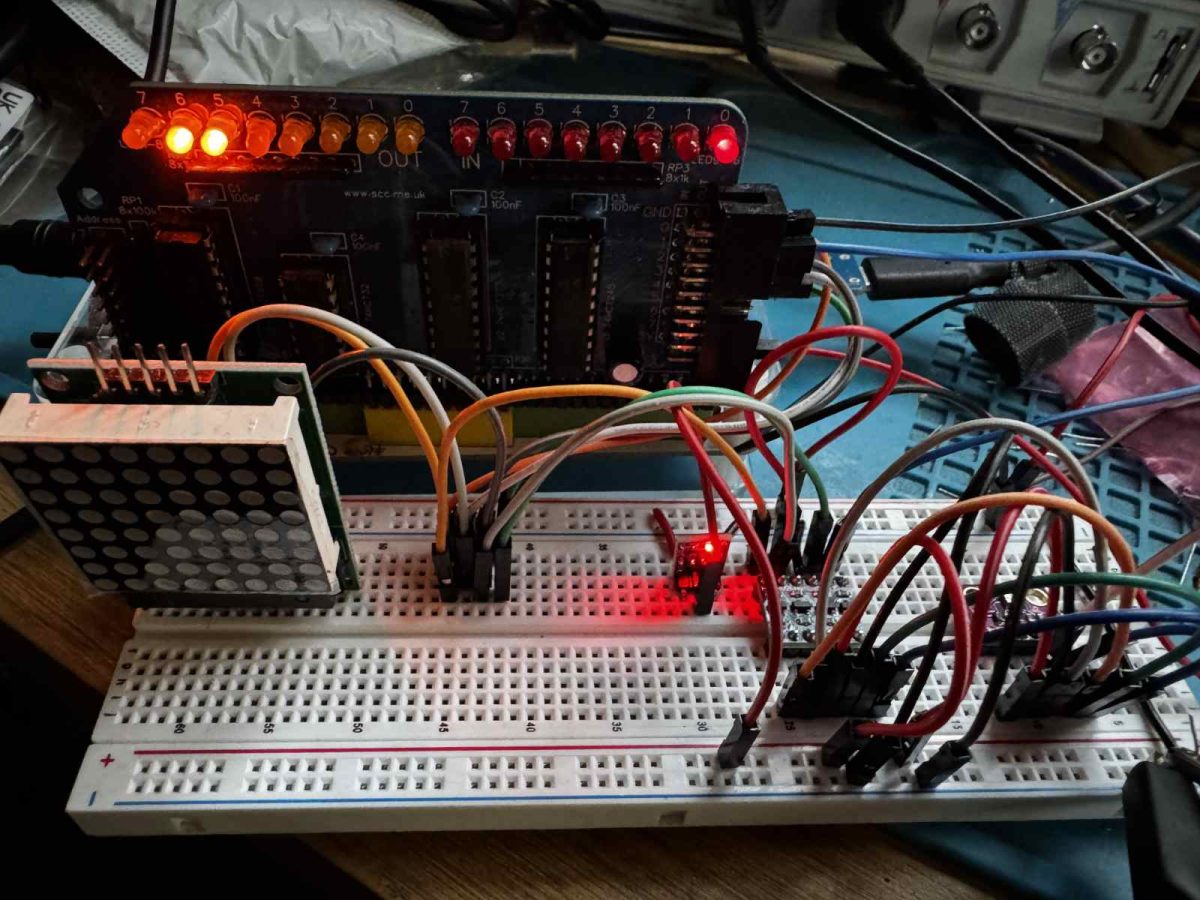
I previously controlled a MAX7219 LED matrix over SPI from my RC2014 computer. Now I want to try another SPI device, the BM280 environmental sensor from Bosch. The code in this article builds on the previous work, so take a moment to read it if you haven’t already.
The BME280 can read temperature, pressure, and humidity. It is a 3.3V device, so I will need a voltage level converter to use it with a 5V RC2014.
The SPI communication will also need to be two-way, as I will need to tell the sensor what values to send me.
I used the following parts (note: Amazon affiliate links)
- 3.3 DC Voltage Regulator Step Down Power Supply Module 4.75V-12V to 3.3V 800mA
- 3.3V-5V 4 Channels Logic Level Converter Bi-Directional Shifter Module
- BME280 Atmospheric Pressure Sensor Temperature Humidity Sensor Breakout High Precision
The regulator allowed me to generate a 3.3v power supply from the RC2014’s 5v supply. I was then able to use this on the low-voltage side of the level shifter to allow the signals to convert between 5v and 3.3v.
As before, I am using the SC129 Digital IO module on my RC2014 to bit-bang the SPI protocol. This is wired up via the level shifters and 3.3V regulator as follows…
| SC129 | BME280 |
| GND | GND |
| 5V | 3.3V (via 3.3 regulator) |
| OUT D0 | SDA / SDI (via level shifter) |
| OUT D1 | SCL / SCK (via level shifter) |
| OUT D3 | CSB (via level shifter) |
| IN D0 | SDO (via level shifter) |
The BME280 gives us the following timing diagram for SPI communication.
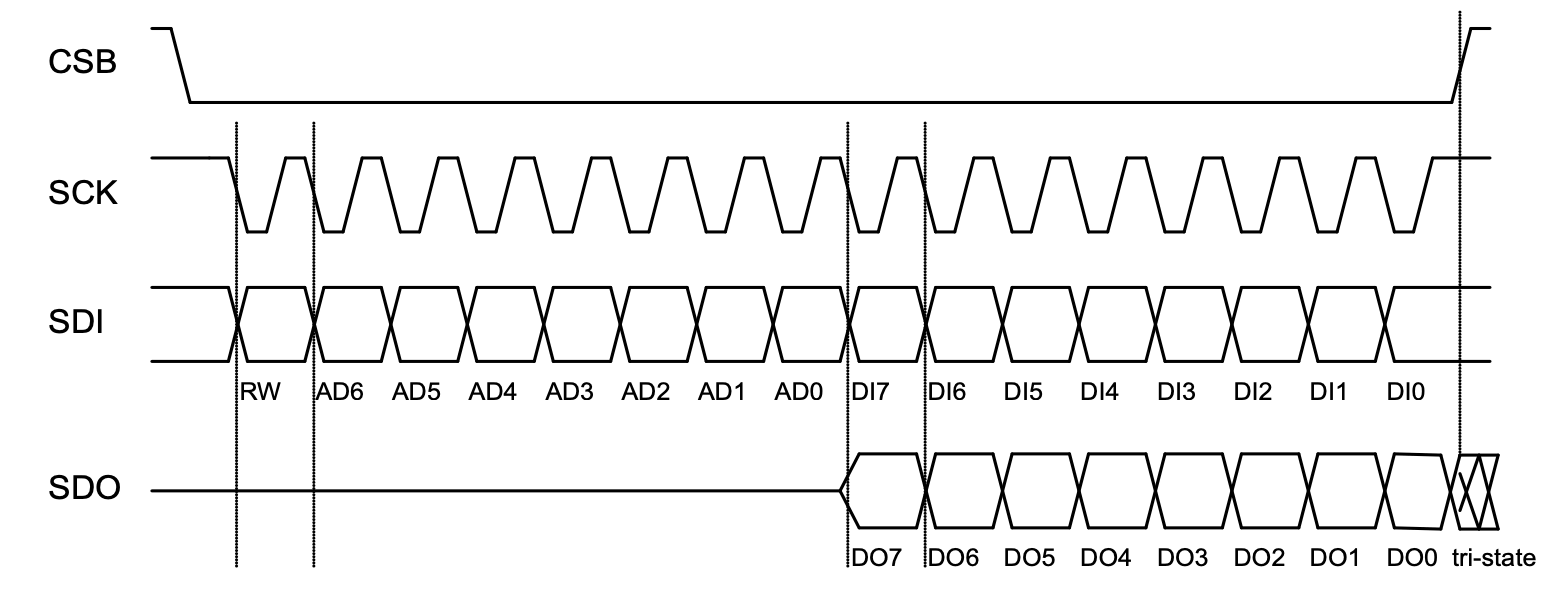
Looking at the timing diagram, we can see that before we start any communication, the SCL / SCK and CSB lines both need to be high. We can use a subroutine to do this.
deselect_bme280:
    ld a, 0 | SELECT | CLK | MOSI
    out (OUTPUT_PORT),a
    ret
Sending and receiving take place on the transition of the SCK line from high to low.
This code is similar to the code for the LED matrix in my earlier post. I have added some additional code to handle the input. This reads the bit, rotates it right into the carry flag, then rotates that value into the E register. By the end of the routine, the byte in register D will have been sent, and the byte returned will be in register E.
send_receive_byte:
    push bc
    ld b, 8
    ld a, 0 &~SELECT &~CLK | MOSI
    rra
    ld c, a
.transmit_bme280_bit:
    ld a, c
    rl d
    rla
    out (OUTPUT_PORT), a.  ; CLK low
    in a, (INPUT_PORT)
    rra
    rl e
    ld a, c
    or a, CLK
    out (OUTPUT_PORT), a   ; CLK high
    djnz .transmit_bme280_bit
    pop bc
    ret
To test that this is working, we can send the value 0xD0 to the BME280. It should send back the value 0x60. To read the returned byte, we send 0x00. While this is being sent, the result byte will be returned simultaneously. We will then output this byte to the SC129 so the display LEDs will show the returned value in binary.
bme280_getId:
    call deselect_bme280
    ld d, 0xD0
    call send_receive_byte
    ld d, 0x00
    call send_receive_byte
    call deselect_bme280

    ld a, e
    out (OUTPUT_PORT), a
    ret
After running, the LEDs correctly show 01100000 – 0x60.
The next step will be to get actual temperature readings. That will be the subject of the next post.