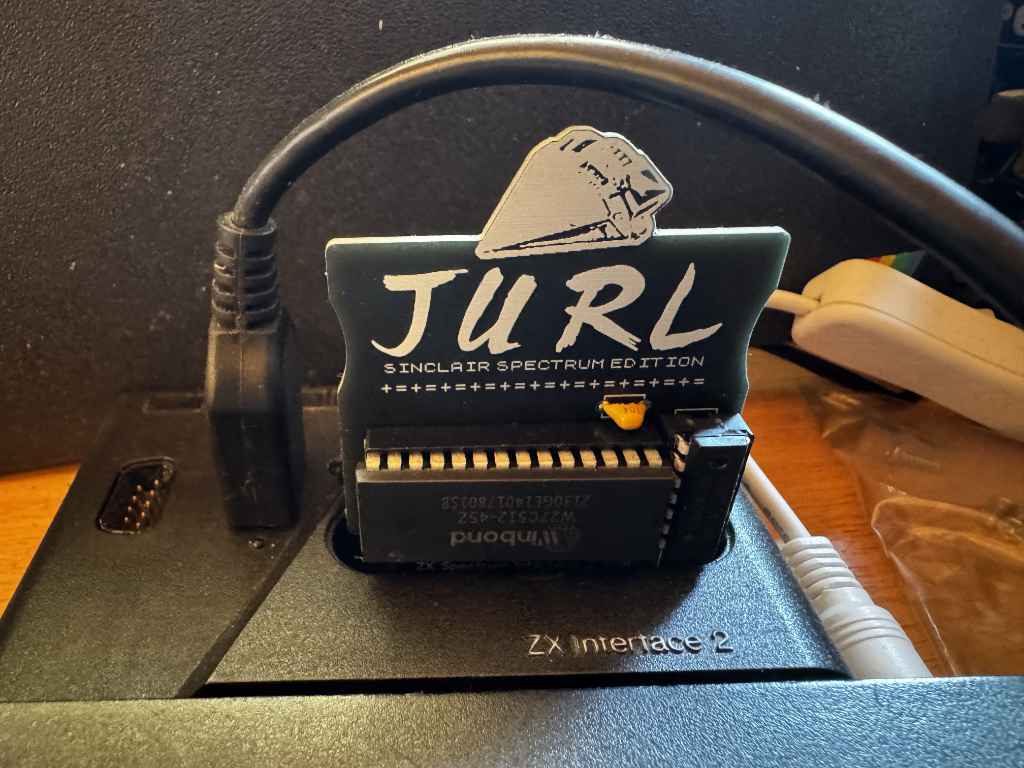
If you are interested in Retro Computing, then you have probably come across Johnny Blanchard and his quest to port his game Jurl to as many platforms as possible.
One of those platforms is the Sinclair ZX Spectrum. You can name your price to download a copy of Jurl for the ZX Spectrum.
I’ve recently become interested in how ROM cartridges work on the ZX Spectrum. They were initially introduced by Sinclair Research with the release of the ZX Interface 2. This was a joystick interface that supported two Atari style 9 pin joysticks, and included a slot for a ROM cartridge. When a ROM cartridge was inserted and the Spectrum powered up, the internal ROM in the Spectrum would be disabled and replaced with the ROM in the cartridge. This meant games or other code on the cartridge would run instantly without needing to be loaded from cassette. However, it also meant games could not rely on any routines in Spectrum ROM, and must be standalone. The ROM cartridge is 16 kilobytes in size.
Looking at Jurl, the binary is 27,353 bytes in size. This is larger than the 16k size limit of the ROM cartridge. However, we can use compression to squeeze Jurl so it fits into a 16k cartridge. If we use ZX0 compression, we can shrink Jurl down to just 11,598 bytes.
Let’s start to put our ROM code together.
The code on the ROM will always start to execute from address 0. We can’t be sure the contents of the RAM will be blank. We could zero all the contents of the RAM, but it would be quicker to just make sure the BORDER, PAPER, and INK are all set to black so the user doesn’t see anything they shouldn’t.
The border is set using a Z80 out instruction to port 254. The paper and ink can be setting the attribute area of the screen memory to 0. This starts at address $5800 and is 767 bytes long. We can use a Z80 ldir instruction to quickly clear this.
; first, set the border to black
    ld a,0
    out (254),a           ; border black

; now set the background paper and ink to black by filling the attribute
; memory with 0s.
    ld hl,$5800           ; attribute memory start
    ld de,$5801
    ld bc,767
    ld (hl),a
    ldir                  ; fill all 768 attributes
Now we have a black screen, we can decompress the game and start it. We set the location of the compressed game in the HL register pair, and the destination address in DE before we call the ZX0 decompression routine. Once the game has decompressed we can just call it. We add a jump back to the call instruction incase the game returns. This ensures the game will just restart.
 ; decompress the game code into memory at gamelocation.
    ld hl,jurldata
    ld de,gamelocation
    call dzx0_standard

; run the game code.
.game_loop:
    call gamelocation

    jp .game_loop
Remember I said that the Spectrum’s ROM was replaced by the contents of the cartridge? Well, this causes a couple of problems as Jurl is expecting two things to be available in specific locations in the ROM. For the game to work, we will need to fix this.
Firstly, Jurl expects the Z80 to be running in IM1. This is interrupt mode 1 which means the Z80 will be interrupted periodically and will execute code at address $38. This would normally handle things like reading the keyboard, but Jurl doesn’t actually do anything with the data the interrupt is handling. This means we just need to handle the interrupt and return. So at address $38 we add the following.
im1:
    ei     ; re-enable interrupts
    reti   ; return
Secondly, Jurl also expects the ZX Spectrum’s font be available at address $3D00. I used the memory dump option in the Fuse emulator to save the font from the Spectrum’s ROM. I can then just include this binary data into my ROM at the correct address.
Once the source code has been assembled, the ROM cartridge binary can be tested in Fuse using the Media -> Cartridge menu option.
Building a physical ROM cartridge
Now I have a working binary, I can create a physical ROM cartridge to use in my ZX Interface 2.
The ROM cartridge slot exposes address and data lines, as well as MREQ. I have several W27C512 EEPROMs I can use in the cartridge. This is a 64k cartridge but as I only need 16k, I can tie lines A14 and A15 to ground. I can also use a 74HCT32 OR gate to enable the EEPROM when A14, A15, and MREQ are all low.
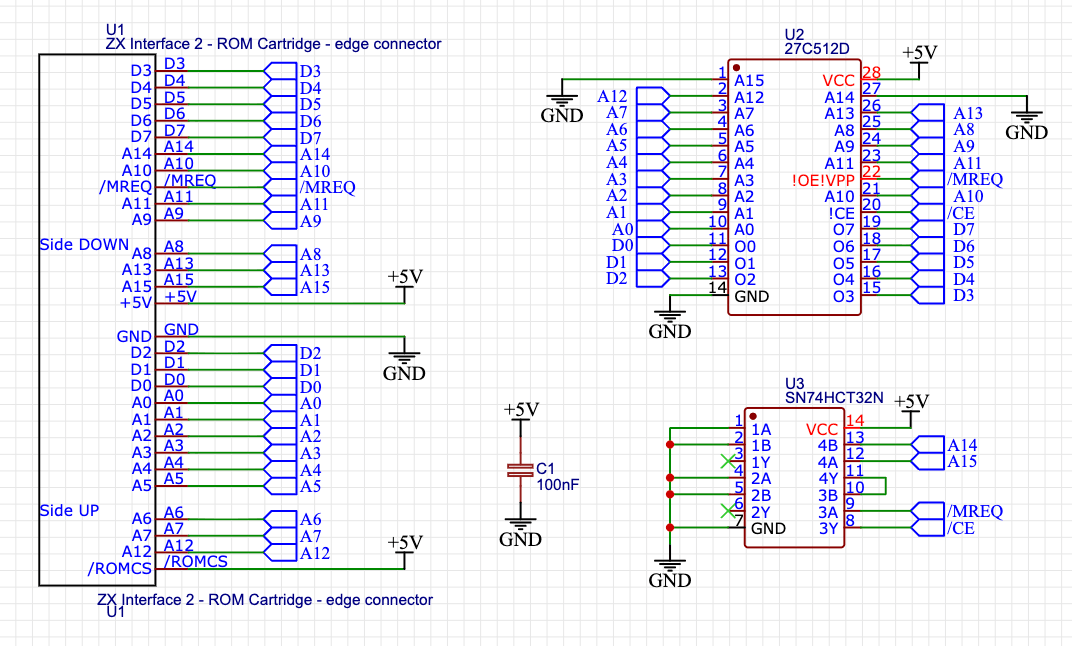
Now I have a circuit, I can use this to create a PCB. I have used EasyEDA to layout the PCB and also include a graphic of the spaceship from the loading screen.
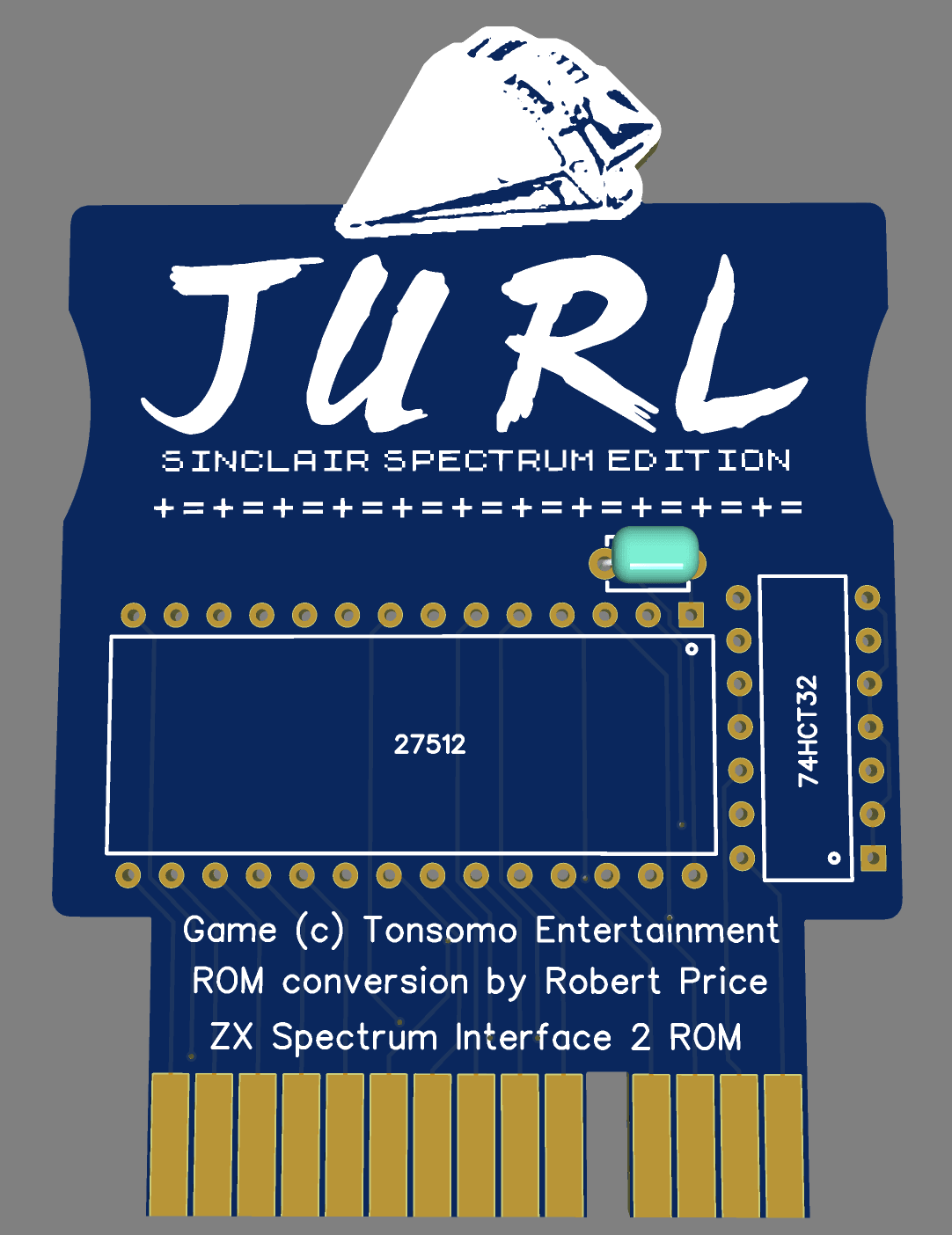
I sent the PCB design off to be manufactured, and when the boards arrived in the post I soldered one up and tested it out.
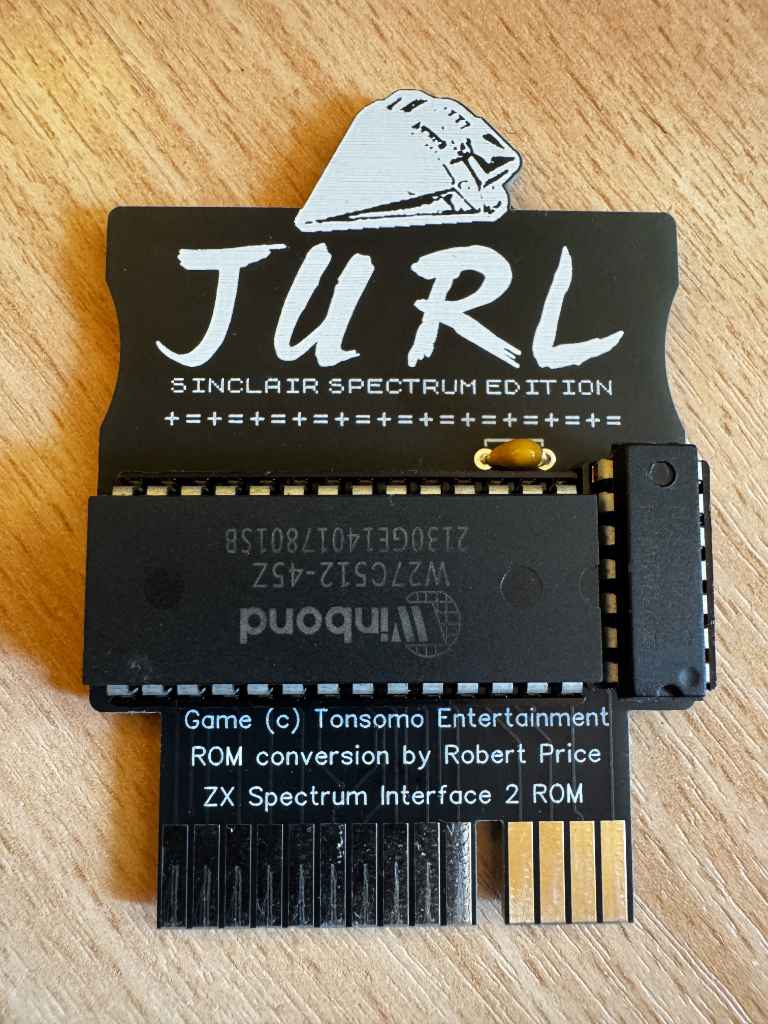
The card works well, and I now can play Jurl on my 48k ZX Spectrum instantly.
Acknowledgements
Before sharing this project, I wrote to Johnny to get his approval as the game is under copyright. I am very grateful that he kindly gave permission for me to share this.