There are times when building online services you find yourself behind a firewall and need to use a proxy. Sometimes these are transparent, but other times you need to add settings by hand.
In a Mendix app, an example may be when you need to consume a REST service from outside you home network.
To configure proxy settings in Mendix, you need to go to our Project’s “Settings”. Open “Configurations”, select your working configuration, and click “Edit”. Select the “Custom” tab and add the following “Names” and “Values”.
http.proxyHost The name your proxy
http.proxyPort The port your proxy is running off of.
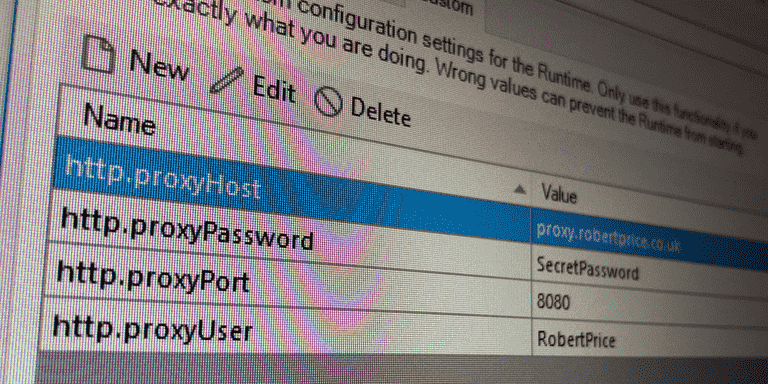
If my proxy was running on proxy.robertprice.co.uk:8080, my settings would be
http.proxyHost proxy.robertprice.co.uk
http.proxyPort 8080
Sometimes the proxy will also need a username and password. You can set these using http.proxyUser and http.proxyPassword. For example
http.proxyUser RobertPrice
http.proxyPassword SecretPassword
You should now be able to access external services through the proxy from Mendix.

More information on using a proxy in Mendix is available at Using a proxy to call a REST service.